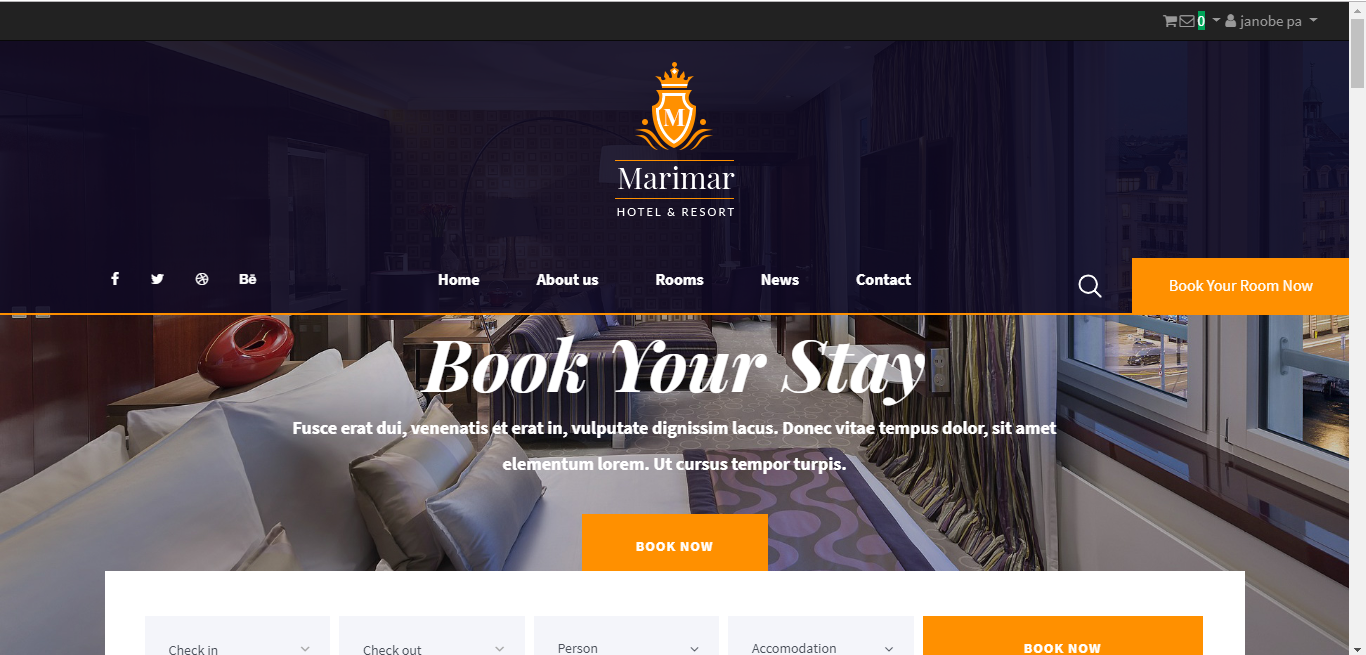
Online Hotel Reservation System in PHP/MySQLi with Source Code
This Online Hotel Reservation System is an automated system that allows your guest to plan their bookings online at their convenience. Free Overview
This Online Hotel Reservation System is an automated system that allows your guest to plan their bookings online at their convenience. With the help of this system, you can manage well your business that can increase both your efficiency within the office and your profit. Now, your bookings are easily accessible anytime and anywhere as long as you have an internet connection and a laptop, smartphone or tablet because it has a very responsive design. Compared to a manual process that may take you a lot of time to book, this process of online booking a room made simple, easy and enjoyable because it provides a friendly user interface.
These are the following features of the system
Admin Side
- Manage Rooms
- Manage Accommodation
- Manage Reservation
- Generate Reports
- Manage Users
Public Side
- Home
- Room and Rates
- About Us
- Contact Us
- Guest Profile
- Manage Booking Cart
- Reservation Details
- Submit Reservation
- Login and Logout
Instructions
How To Run
- Download the zip file.
- Download and install XAMPP
- Run the XAMPP control panel and start MySQL and Apache
- Go to C:\\xampp\\htdocs and extract the downloaded zip file (marimar) inside the folder
- Open the browser and go to http://localhost/phpmyadmin/ to create the database
- Click the new to create a database.
- Name the database dragonhousedb.
- Click Import to import the SQL file.
- Click choose file and select the file that can be found inside the root folder.
- Click go
- Then, browse http://localhost/marimar in your browser for the hotel reservation website and http://localhost/marimar/admin for the system admin panel.
Accessing this system using the admin accounts:
- Download the zip file.
- Download and install XAMPP
- Run the XAMPP control panel and start MySQL and Apache
- Go to C:\\xampp\\htdocs and extract the downloaded zip file (marimar) inside the folder
- Open the browser and go to http://localhost/phpmyadmin/ to create the database
- Click the new to create a database.
- Name the database dragonhousedb.
- Click Import to import the SQL file.
- Click choose file and select the file that can be found inside the root folder.
- Click go
- Then, browse http://localhost/marimar in your browser for the hotel reservation website and http://localhost/marimar/admin for the system admin panel.
Reviews (0)
No reviews yet. Be the first to review this item.
Support (0)
FAQ
No frequently asked questions yet.


| Category | Scripts / PHP Scripts |
| First release | 08 August 2026 |
| Last update | 08 August 2026 |
| Item type | scripts |
| Sales | 0 |
| Downloads | 1 |
| Tags | hotel script, wp theme, wordpress |




Earn commission on purchases made by new customers you refer to Codexcloud.
Become an affiliate